All case studies
Use case 05Inventory operations

AI Inventory & Operations Alerts

AI monitors inventory, demand, open orders, and supplier performance, then turns emerging risks into specific recommended actions for the operations team to review.

  • Human control
  • Existing systems
  • Scoped rollout
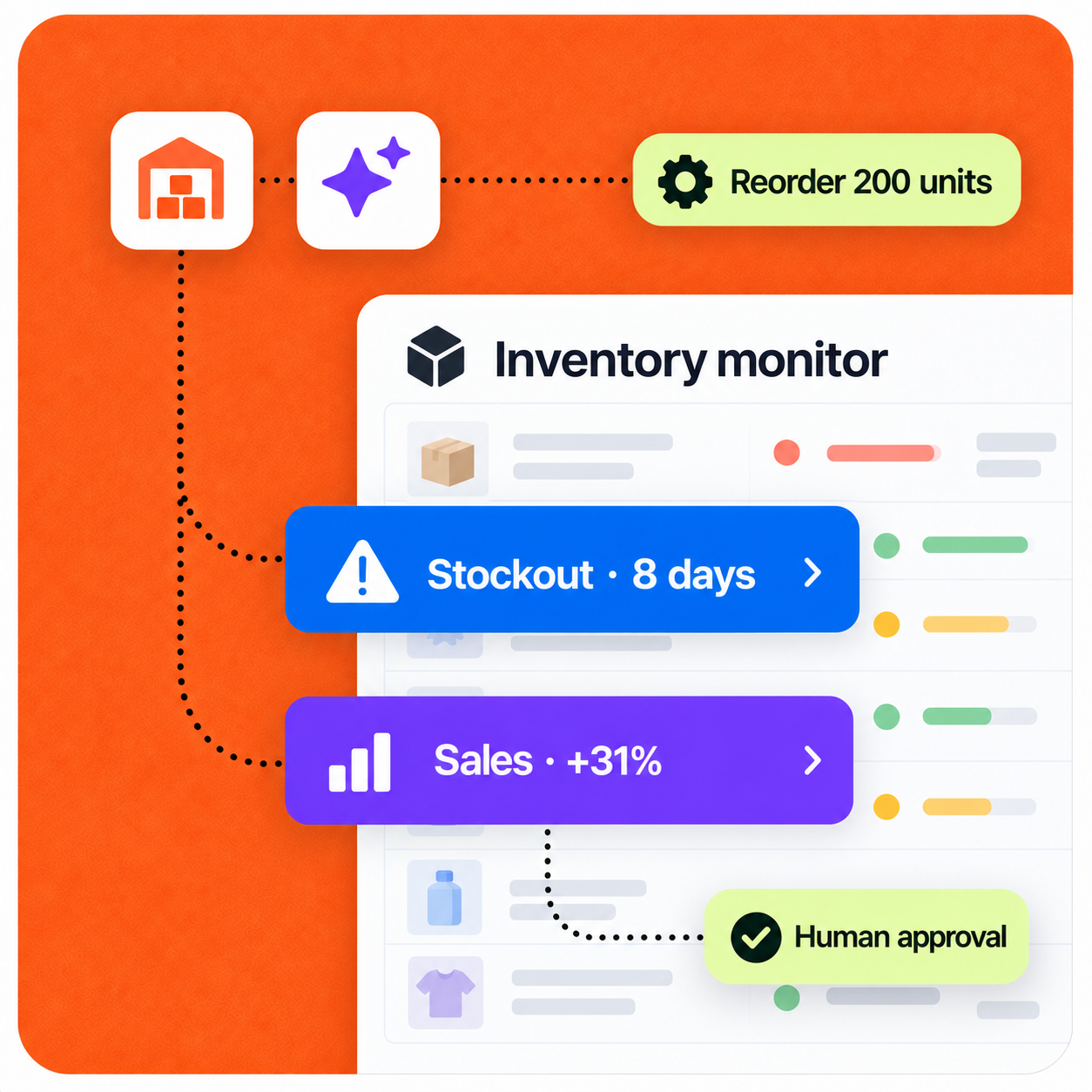
AI inventory monitoring workflow showing an eight-day stockout risk and reorder recommendation for human approval

Implementation pattern

Designed for human review

Operating context

Designed around how a small team actually works.

A credible automation starts with the real workload, owners, systems, and approval points—not a generic AI promise.

Representative company setup

A 15-person e-commerce, wholesale, or physical-product company has a small operations team managing hundreds of SKUs, multiple suppliers, and regular customer orders.

Example company

14-person online retailer

Inventory scale

300 SKUs

Primary owner

Small Operations team

The workflow

Every handoff, made visible.

The automation does not hide the process. It structures the repetitive work, surfaces exceptions, and hands decisions to the right person.

Complete sequence

8 defined steps

  1. 01

    Step 01

    Operational data is monitored

    The workflow continuously reads the systems that already track inventory, orders, purchasing, and suppliers.

    • Inventory or warehouse system
    • E-commerce platform
    • Order-management system
    • Supplier records and purchase orders
    • Sales history
  2. 02

    Step 02

    Stock coverage is calculated

    Each important SKU is evaluated using demand and supply context—not just the current unit count.

    • Current inventory
    • Recent sales velocity and historical demand
    • Open customer orders
    • Incoming purchase orders
    • Supplier lead time
  3. 03

    Step 03

    Demand changes are detected

    Current sales are compared with normal patterns to identify emerging stockout risk early.

    • Wireless Headset sales: 38% above normal
    • Current stock: 64 units
    • Estimated stockout: 6 days
  4. 04

    Step 04

    Delayed orders are monitored

    Expected supplier deliveries are checked against customer demand and projected inventory levels.

    • PO #4821 moved from Sept 14 to Sept 21
    • Three SKUs affected
    • Potential stockout on Sept 18
  5. 05

    Step 05

    Supplier issues are surfaced

    The workflow looks for recurring operating patterns that a basic low-stock alert would miss.

    • Repeated late deliveries
    • Increasing lead times
    • Short shipments or price changes
    • Quality and return issues
    • Unusual order delays
  6. 06

    Step 06

    A recommended action is created

    Every alert includes a concrete next step and the evidence behind it.

    • Reorder 150 units this week
    • Demand is 22% above normal
    • Inventory covers about 11 days
    • Supplier lead time averages 14 days
  7. 07

    Step 07

    Alert is routed to the right owner

    The risk type and potential impact determine who needs to respond.

    • Low stock → Operations
    • Supplier delay → Purchasing
    • Demand spike → Operations and Sales
    • Major fulfillment risk → Founder or Operations lead
  8. 08

    Step 08

    Human reviews the action

    The employee decides what happens and records the outcome so future alerts can improve.

    • Approve the recommendation
    • Modify the quantity
    • Contact the supplier
    • Ignore the alert
    • Mark it expected or seasonal

Control by design

Detect → recommend → human approves

The safer first phase keeps purchase orders and supplier decisions under employee control. Once the team has evidence and confidence, narrowly defined low-risk actions can be considered for automatic execution.

Security & data handling

Defined inputs

The workflow is limited to the systems, data, and knowledge selected for the job.

Explicit approval

A person stays at the decision point for customer-facing, financial, or otherwise high-impact actions.

Measured autonomy

Low-risk steps expand only after the team can review quality, exceptions, and outcomes.

Under the hood

A connected workflow, not another isolated chatbot.

Each stage has a defined input and output, while the existing stack remains the source of operational context.

Workflow architecture

  1. 01Inventory, orders, and suppliers
  2. 02AI monitoring
  3. 03Demand and stock analysis
  4. 04Exception detection
  5. 05Risk assessment
  6. 06Recommended action
  7. 07Employee approval
  8. 08Operations channels

Possible integrations

  • Inventory or warehouse system
  • E-commerce platform
  • Order-management system
  • Supplier records
  • Purchase-order system
  • Slack / email / operations dashboard

Concrete scenario

Eight-day stockout risk

Example input

Product A sales are 31% above normal. Current stock will run out in 8 days, while supplier lead time is 12 days.

This sequence illustrates the operating logic. It is not presented as a guaranteed result or an autonomous decision.

  1. 01Detect the demand increase on Monday at 9:00 AM
  2. 02Project the stockout date from current sales velocity
  3. 03Compare the eight-day stock window with the supplier’s 12-day lead time
  4. 04Create a high-priority stockout-risk alert
  5. 05Recommend a 200-unit replenishment order or backup supplier
  6. 06Route the alert to Operations for approval

Expected impact

What this workflow is designed to improve.

Actual results depend on workflow volume, data quality, system access, and team adoption. A responsible rollout establishes a baseline before measuring impact.

01

Earlier warning of operational problems

02

Fewer stockouts

03

Less manual monitoring

04

Specific actions instead of raw alerts

Build a similar workflow

Start with the process, systems, and decisions your team already understands.

We can map where AI helps, where a person should stay in control, and what success should be measured against.

Discuss this workflow

Next case study · 06

Automated Bug Triage